
The family gift list
Who gives what, to whom and when.
Gift Huddle is the family's gift notebook: note what each person wants, who is giving it and for which occasion, and see at a glance what is still to buy or to wrap. For homes where Christmas, Three Kings and birthdays are shared out among several people.
- Free and ad-free ·
- No account ·
- End-to-end encrypted ·
- PIN, fingerprint or face ·
- Spanish, Catalan and English ·
- Android and iPhone
Downloads
Android and iPhoneAndroid
Android 8 or later. Coming soon to Google Play.
iPhone
iOS 16 or later. Coming soon to the App Store.
Screenshots
5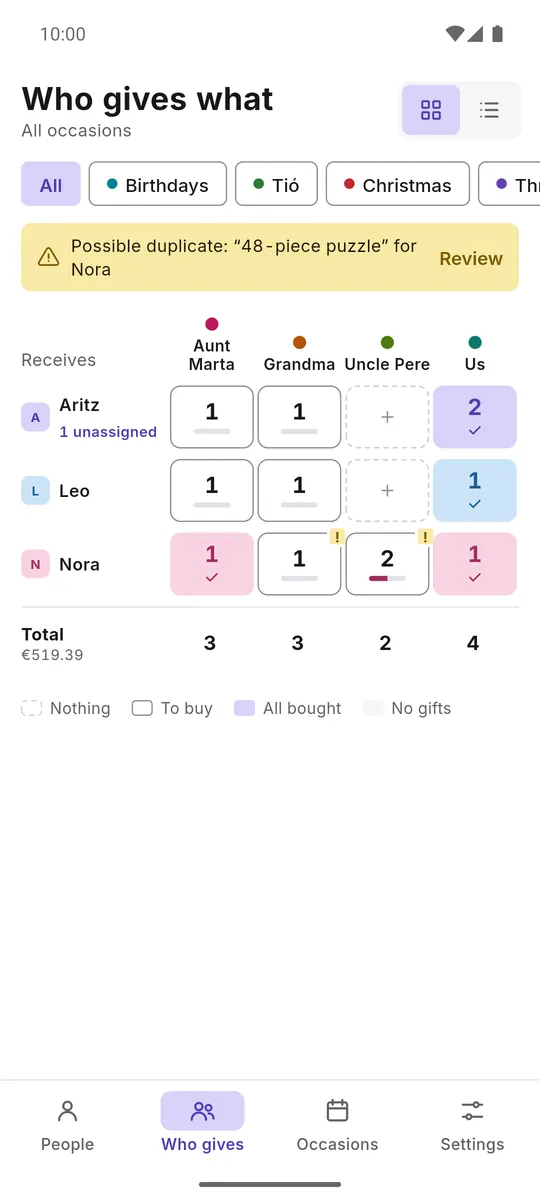
Who gives whatWho gives to whom 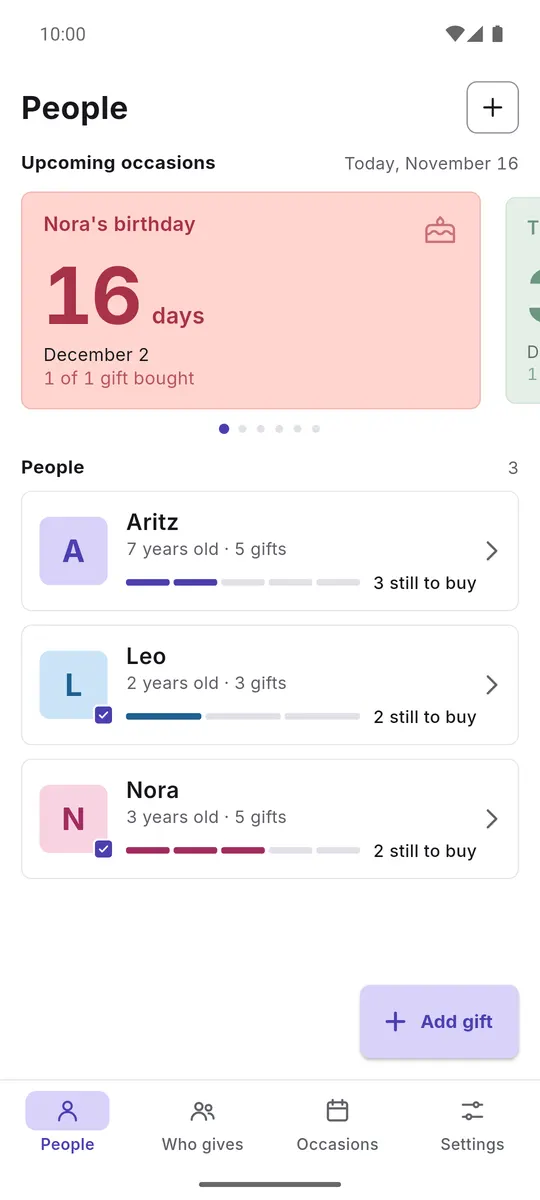
PeopleWhat each one is getting 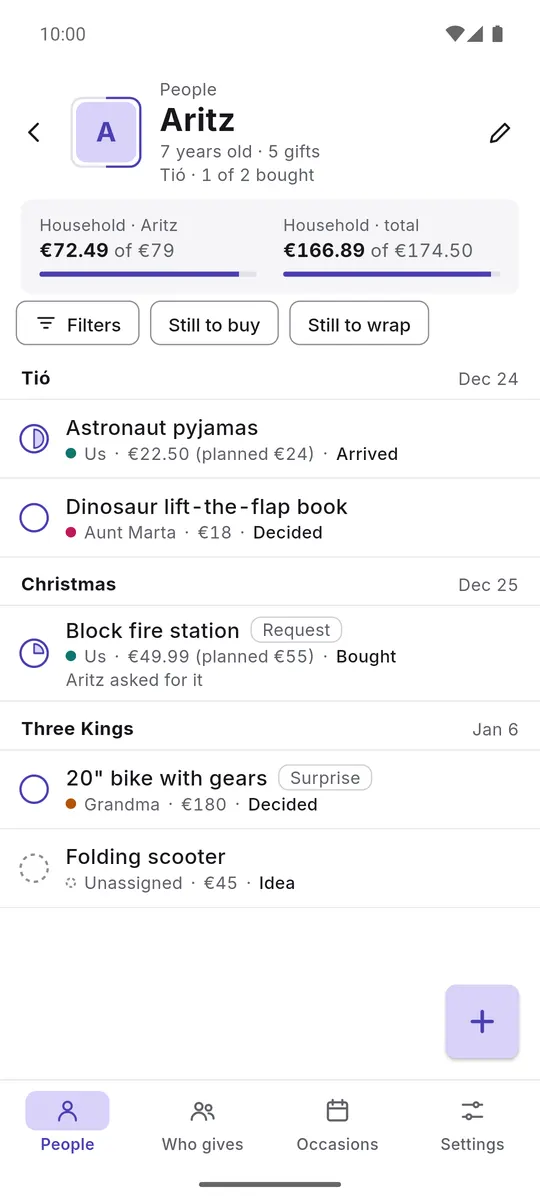
Aritz's listStatus, price and giver 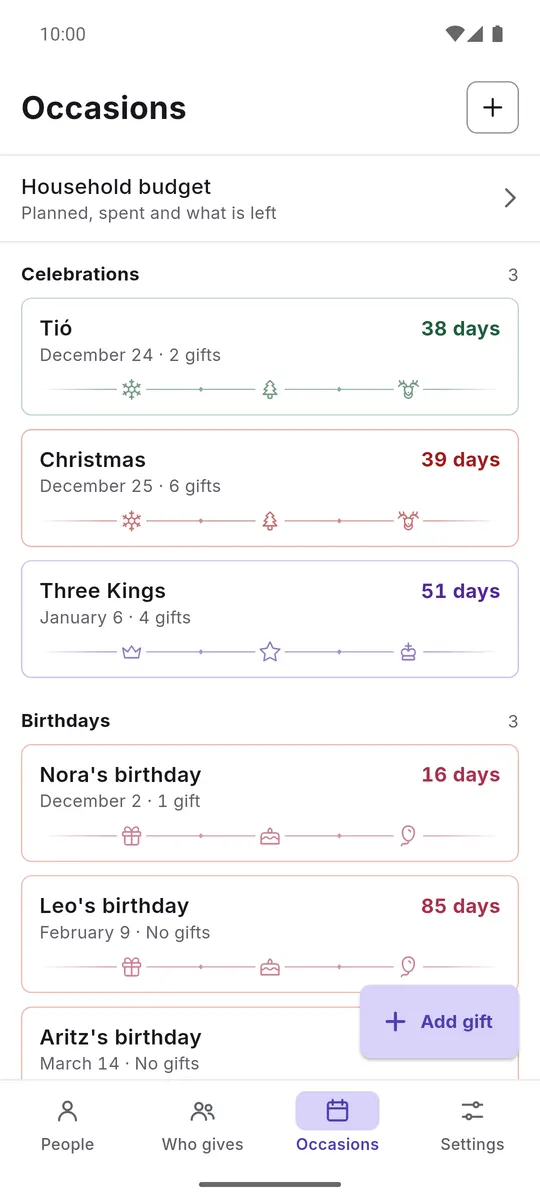
OccasionsHolidays and birthdays 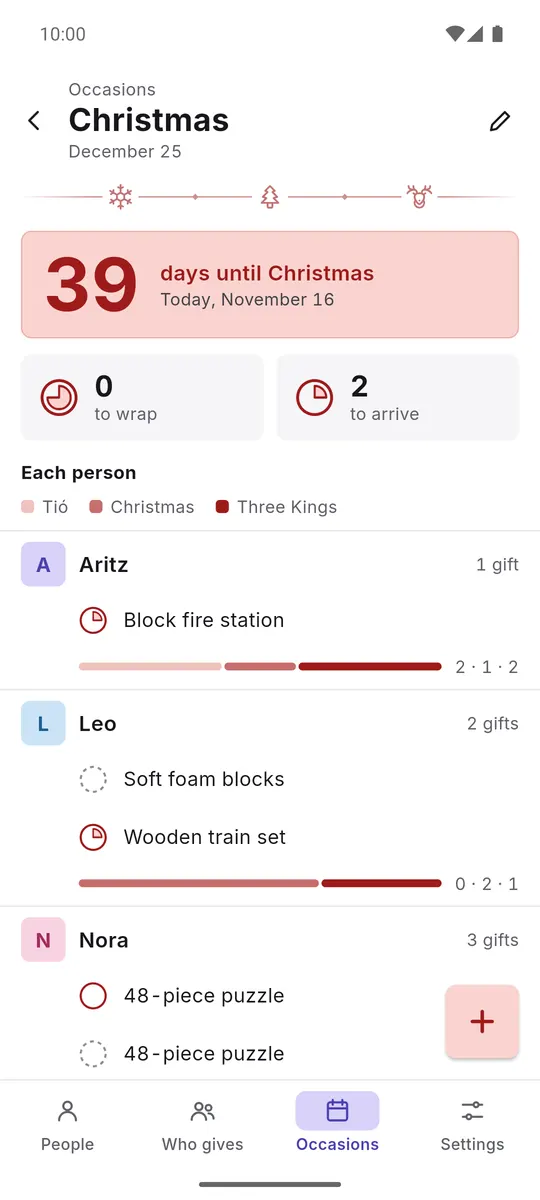
ChristmasCountdown and what is pending
Features
6Who gives what, at a glance
A grid of who receives and who gives. You see at once if someone is missing a gift or if two people have thought of the same one.
Every gift, with its status
Idea, decided, bought, arrived, wrapped and delivered. Filter what is still to buy or to wrap.
Occasions with a countdown
Tió, Christmas, Three Kings, birthdays and any you add, with the days left and what is pending for each.
The household budget
Planned, spent and what is left, per person and in total. What others give does not count as your own spending.
Every phone, the same list
The list keeps itself up to date across the family's phones, end-to-end encrypted. A new phone joins with a QR code in person or with an invitation that you approve, or with your recovery code, which needs no approval.
Safe from prying eyes
PIN, fingerprint or face when you open it. The app locks when you leave it and covers its content in the app switcher.
Privacy
There are no accounts or ads, and the developer uses no analytics or crash reporting.
Your list is stored encrypted on your phone. To keep it up to date across the family's phones, an end-to-end encrypted copy is kept on a server that cannot read it; you can stop syncing whenever you like, and the copy is deleted once no device has access any more.
The QR code reader is built into the app and works offline, with no Google services: on Android it uses the open-source ZXing library and on iPhone the system's own code reader.
Full privacy policySupport
Frequently asked questions
How much does it cost?
Nothing. Gift Huddle is free and has no ads.
Do I need an account?
No. There are no accounts: the list is stored encrypted on your phone. The internet is only used, always with the list encrypted, if you connect another phone or the web or create a recovery code, and you can stop syncing whenever you like.
How do I add another family phone?
If it is in front of you, show the pairing QR code and the other phone reads it. Remotely, send an invitation: both phones show a 6-digit code and, if it matches, you give access.
What if the kids pick up the phone?
With the PIN on, the app locks when it is opened and after more than 30 seconds in the background, and it covers its content in the app switcher.
What happens if I change phones?
The list is not included in system backups. You get it back by connecting the new phone with another one in the family or with your recovery code, if you created one beforehand.
Can't find your question?
Write to me and I will answer myself.